Elden Ring Interactive Map: All Locations and Layers
The complete atlas covers 26,979 placements in The Lands Between and Realm of Shadow, with 26 searchable categories and a continuous surface and underground map.
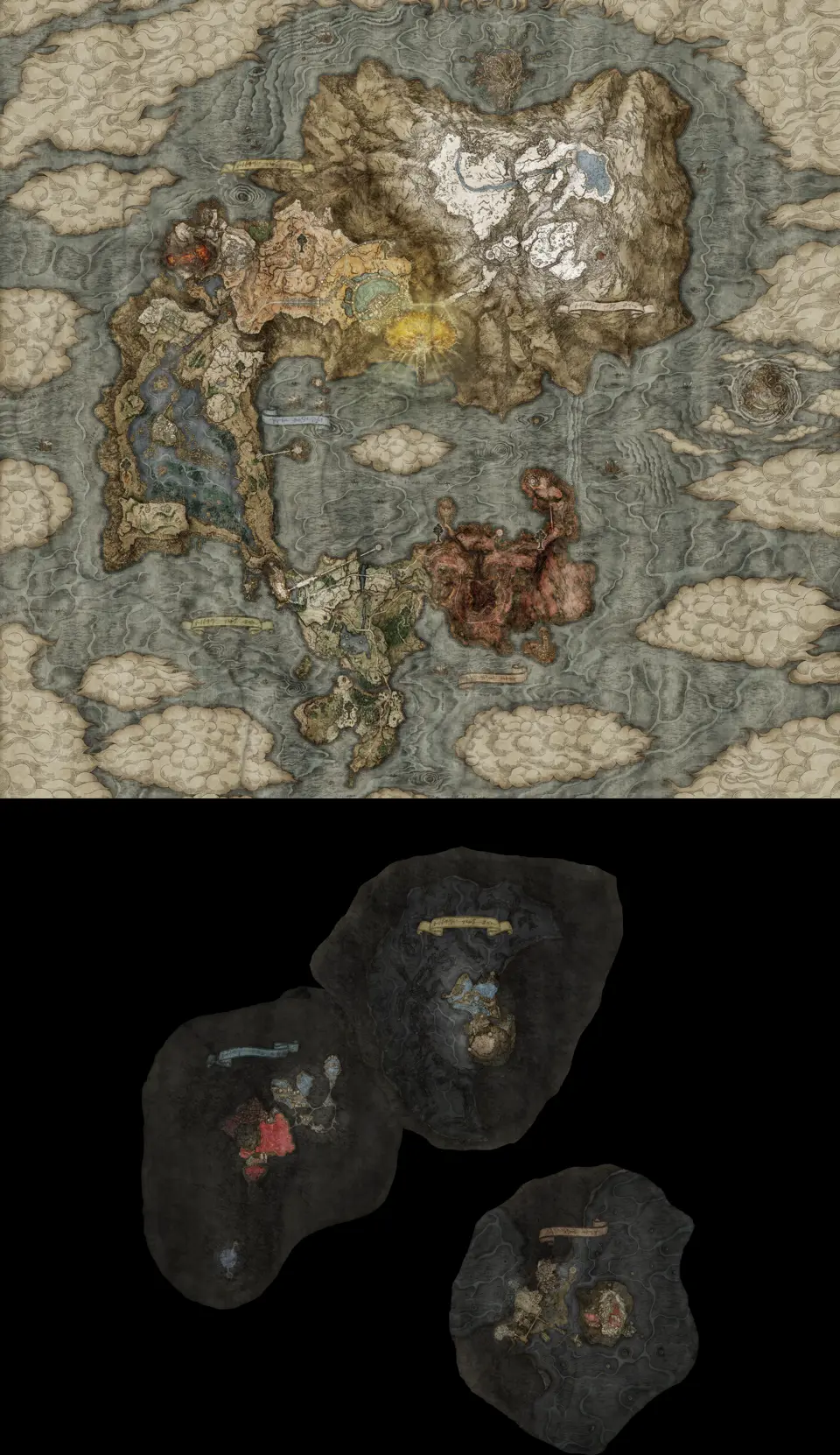
The Elden Ring interactive map covers 18,656 placements in The Lands Between. The Realm of Shadow map adds 8,323 more from the expansion. Together they provide 26,979 map records in 26 categories.
A placement is one mapped point, not a promise that every point is a unique collectible. The same character can appear at several quest stages, an enemy type can have many fixed spawns, and one pickup can contain more than one item. The counts describe what the map can locate.
Start with the core layers
Opening all 26 categories at once makes a full-world view difficult to read. Begin with Sites of Grace, Bosses, Dungeons & Entrances, and Map Fragments. This view shows where you can rest, which encounter is nearby, whether a cave entrance is easy to miss, and which regional map is still fogged.
Use category links when you know the kind of target:
- Sites of Grace for fast-travel and checkpoint planning.
- Bosses for field, dungeon, and major encounters.
- Dungeons & Entrances for caves, catacombs, tunnels, and larger interiors.
- Map Fragments for the regional pillars that clear the in-game map.
Add equipment or material layers only when they solve the next task. Search is usually faster than scanning hundreds of weapon or upgrade-material markers.
Surface and underground share one map
The Lands Between puts its underground regions below the surface on the same vertical map. Pan down for Siofra River, Ainsel River, Nokron, Eternal City, Nokstella, Eternal City, and Deeproot Depths. The same lower section includes the route around Lake of Rot Shoreside and Mohgwyn Dynasty Mausoleum. Their markers use the same search and category filters as the surface.
If a search result moves the camera far below the surface, check the nearby region label before assuming the marker is wrong. Shared links preserve the selected marker, active categories, and exact view.
Use search for names and layers for unknowns
Type a known name such as Church of Elleh, Starscourge Radahn, or Scadutree Fragment into search. A unique result moves to that point and opens its details. Repeated names appear as one grouped result; select it to frame every match, then choose the full-strength pin you need. Search is best when the game or a quest gives you a name.
Layers are better when the name is unknown. A missing Golden Seed belongs under Flask Upgrades; a spell belongs under Sorceries & Incantations; a merchant belongs under NPCs & Merchants. Open one layer, inspect the part of the map you are currently clearing, then hide it before changing tasks.
Keep a personal checklist
Open a marker and mark it found after confirming it in the game. Found state stays in the current browser, and completed pins fade so unfinished targets stand out without removing any map data.
Progress is kept separately for each marker record. This matters for repeated names: two Sites of Grace or NPC stages can share related text without sharing checklist state. Copy a selected marker link when you want to return to that exact placement.
Move between the base game and DLC
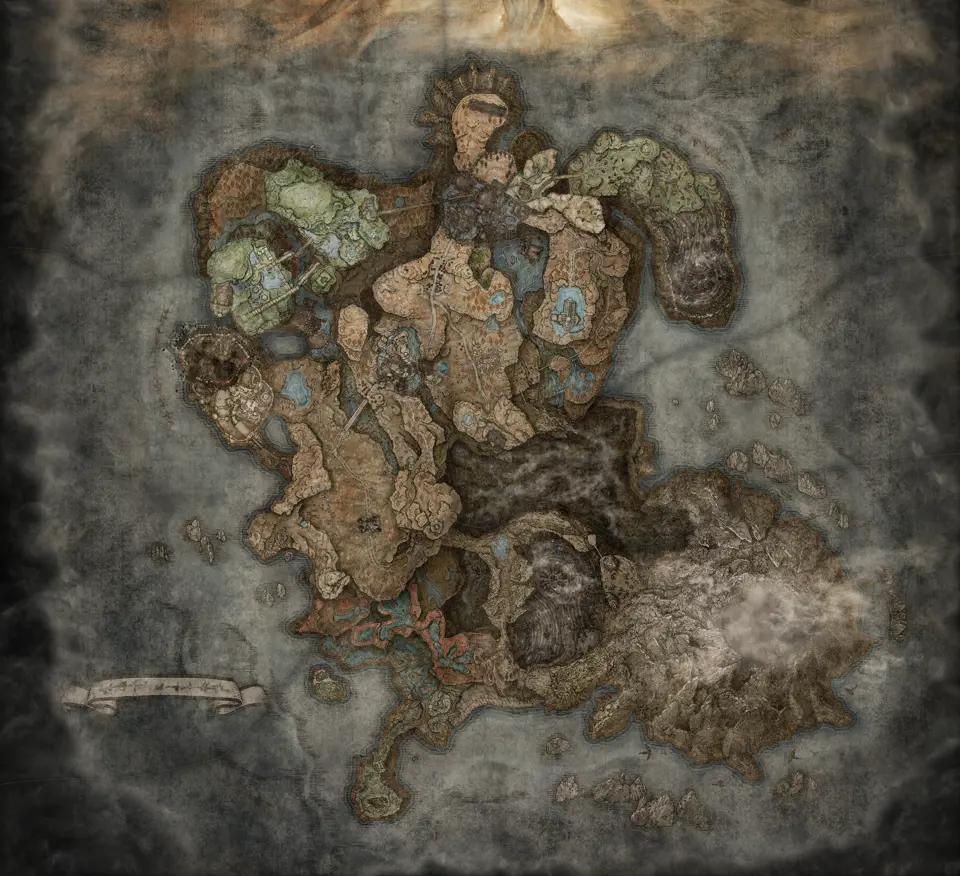
The two world tabs keep their own camera, layers, and progress. Use The Lands Between for the base game and its underground regions. Use Realm of Shadow for records matching Scadutree Fragment or Revered Spirit Ash, plus expansion Bosses and Sites of Grace.
For a clean first session, open the The Lands Between orientation view and choose a region. When you enter the DLC, use the Realm of Shadow progression view rather than mixing both worlds into one checklist.
Maps in this guide
More Elden Ring guides
Elden Ring Map Fragments: All Regions and Route Guide
Map Fragments has 19 placements in The Lands Between and 5 in the Realm of Shadow, with underground regions below the surface on the same map.Read the guideElden Ring Sites of Grace Map: Surface and Underground
The atlas plots 417 Sites of Grace across both worlds and places The Lands Between underground checkpoints below the surface on one map.Read the guideElden Ring Bosses in Order: Main and Optional Route
A practical main route orders required milestones without pretending Elden Ring has one fixed boss sequence, then separates optional and DLC encounters.Read the guideElden Ring Dungeons & Entrances Map: Caves and Catacombs
The Dungeons & Entrances layer plots 111 entrances in The Lands Between and 24 entrances in Realm of Shadow at the approach players can actually reach.Read the guideElden Ring NPCs & Merchants Quest Location Map Guide
The NPC layer contains 241 The Lands Between placements and 77 Realm of Shadow placements, including repeated records for characters who move with quests.Read the guide