Mistfall Hunter Interactive Map: All Three Areas Guide
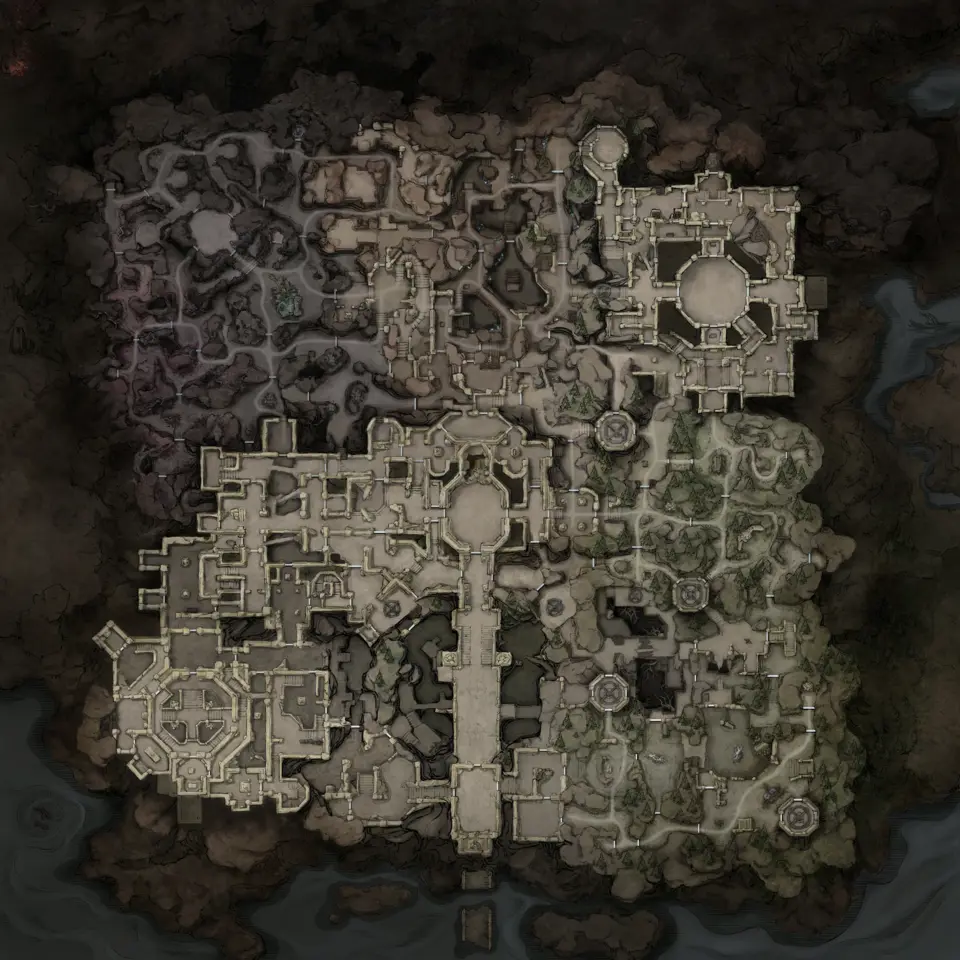
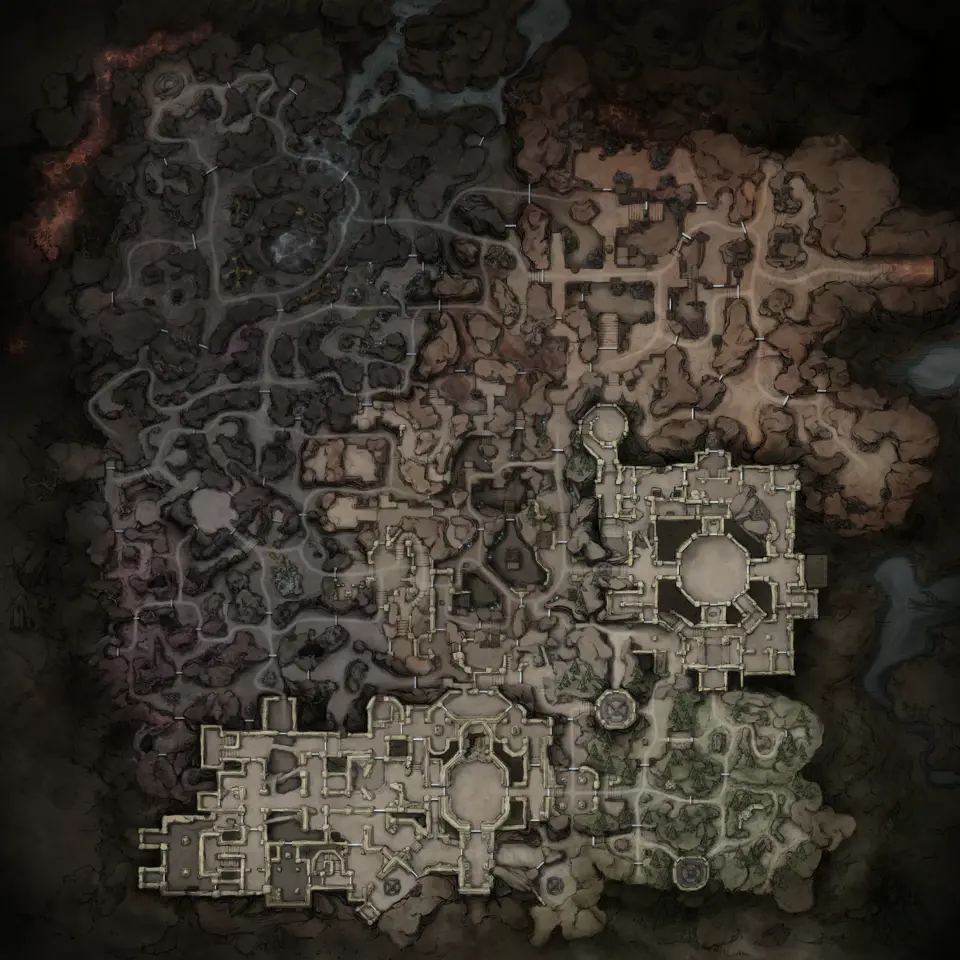
Mistfall Hunter has three area maps here: Hallowgrove, Brandrgarde South and Brandrgarde North, with 7,537 recorded positions across eight layer types.
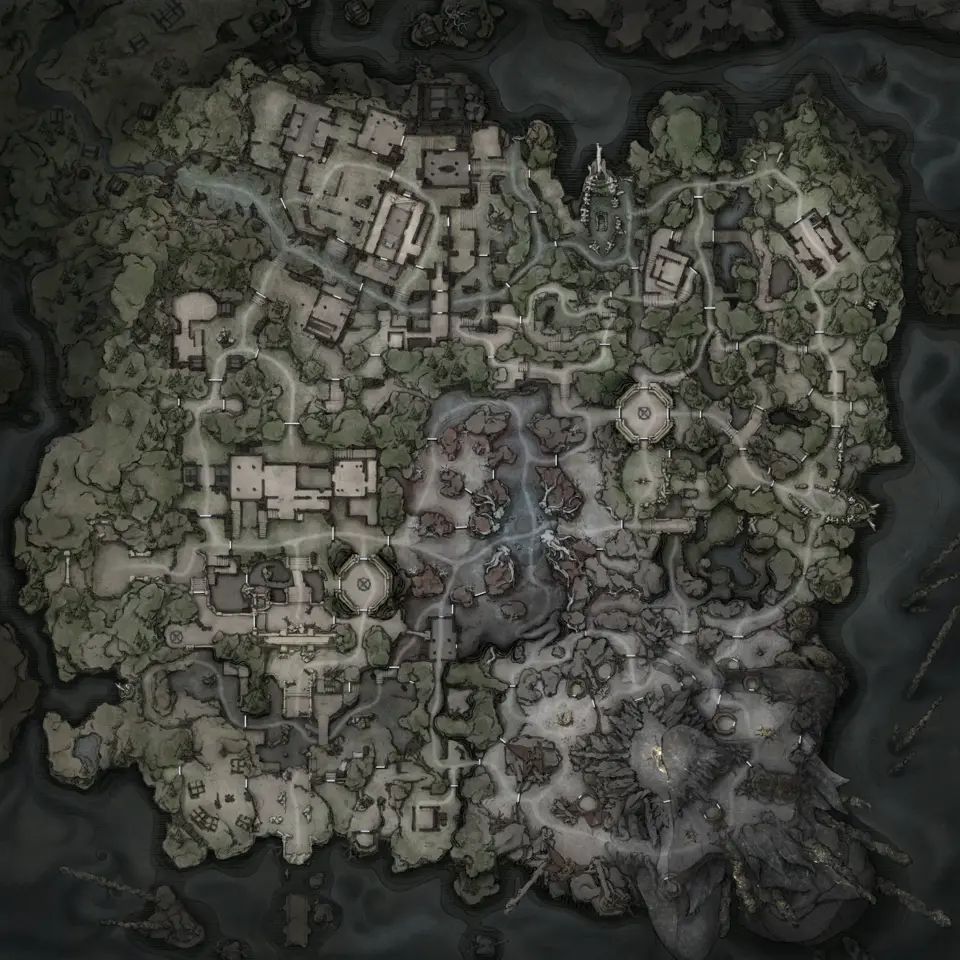
The Mistfall Hunter interactive map is split into Hallowgrove, Brandrgarde South and Brandrgarde North. Together they contain 7,537 recorded positions. Choose the exact area before searching, because the three sheets do not share markers.
What each area contains
| Layer | Hallowgrove | Brandrgarde South | Brandrgarde North |
|---|---|---|---|
| Treasure | 1,528 | 664 | 806 |
| Enemy spawns | 1,894 | 696 | 1,191 |
| Loose loot | 108 | 122 | 96 |
| Objectives | 92 | 41 | 47 |
| Extraction | 18 | 38 | 22 |
| Traversal | 14 | 22 | 8 |
| Landmarks | 28 | 79 | 0 |
| Merchants | 10 | 13 | 0 |
| Total | 3,692 | 1,675 | 2,170 |
North has the second-largest marker total and no Merchant or Landmark layer. South has the most extraction points and landmarks. Hallowgrove is the largest sheet by total positions, mainly because of its 1,894 enemy spawns and 1,528 treasure markers.
Plan backward from extraction
An extraction route has a hard finish, so choose that first.
- Open Extraction and select an exit in the area you are running.
- Add Treasure or Loose loot, not both at full zoom.
- Add Enemy spawns to judge the final approach.
- Use Traversal when a direct route crosses a wall, floor change or vertical gap.
- Keep a second exit in view in case the preferred route stops making sense.
These maps show candidate positions for route planning. A live raid may use only a subset of containers, merchants, exits or elite spawns, so treat a marker as a place to check rather than a guaranteed active stop.
Treasure and Loose loot are separate
Treasure is the broader interactable layer, with chests, ore piles, fungi, vents, furnaces and other world objects. Loose loot is a separate generic candidate layer. Use Treasure for an interactable route and Loose loot for a lighter pickup route, then add Landmarks and Extraction.
Showing both loot layers with Enemy spawns produces 7,105 pins across the three maps. That is useful for comparison and too dense for route planning. Turn on the layer needed for the current run, then zoom into the area shown by the live raid.
Search one name at a time
Search works inside the active area. A result in Hallowgrove will not appear while Brandrgarde North is open. Enemy names can be searched. For generic Treasure, Loose loot and Objective points, use the live clue, visible terrain and Landmark icons.
Enemy search is also area-specific. The same enemy type can have different candidate positions in Hallowgrove and Brandrgarde, and some elites appear only in a subset of live runs.
Mark what you have learned
Use Mark for a route point you have checked or memorised. The mark stays in your browser and belongs to that area map. Hiding marked points can turn a 40-stop practice route into the few transitions you still forget.
Loot itself is match-dependent, so a permanent mark should mean “I know this position”, not “this container can never matter again”. Leave planned route stops unmarked if you want them visible every session.
Fix an empty result
Clear the old search and verify the area name. Search still checks hidden layers, so switching a category on is not required for a result. North legitimately has no Merchant or Landmark category; a missing result there may belong to South or Hallowgrove instead.
Maps in this guide
More Mistfall Hunter guides
Mistfall Hunter Extraction Points: All 78 Exits Mapped
Mistfall Hunter's three maps carry 78 marked extraction points: 38 on Brandrgarde South, 22 on Brandrgarde North and 18 in Hallowgrove.Read the guideMistfall Hunter Chest Locations: 2,998 Containers Mapped
Hallowgrove holds 1,528 containers, Brandrgarde North 806 and Brandrgarde South 664, and you can filter the layer down to a single named type such as Gift of Fate or Spirit Jar.Read the guideMistfall Hunter Enemy and Boss Locations: 3,781 Mapped
The enemy layer holds 3,781 spawn markers and starts switched off on all three maps: 1,894 in Hallowgrove, 1,191 on Brandrgarde North and 696 on Brandrgarde South.Read the guideMistfall Hunter Loose Loot Locations and Exit Routes
The generic Loose loot layer has 108 candidates on Hallowgrove, 122 on Brandrgarde South and 96 on Brandrgarde North, 326 positions in total.Read the guideMistfall Hunter Objective Locations Across All Maps
The Objectives layer records 92 points on Hallowgrove, 41 on Brandrgarde South and 47 on Brandrgarde North.Read the guide