Palworld Fast Travel, Warp Points and Watchtower Map
Palworld has 137 Great Eagle Statues on Palpagos and 15 on the World Tree, plus 22 watchtowers across both maps and 51 Palpagos warp points.
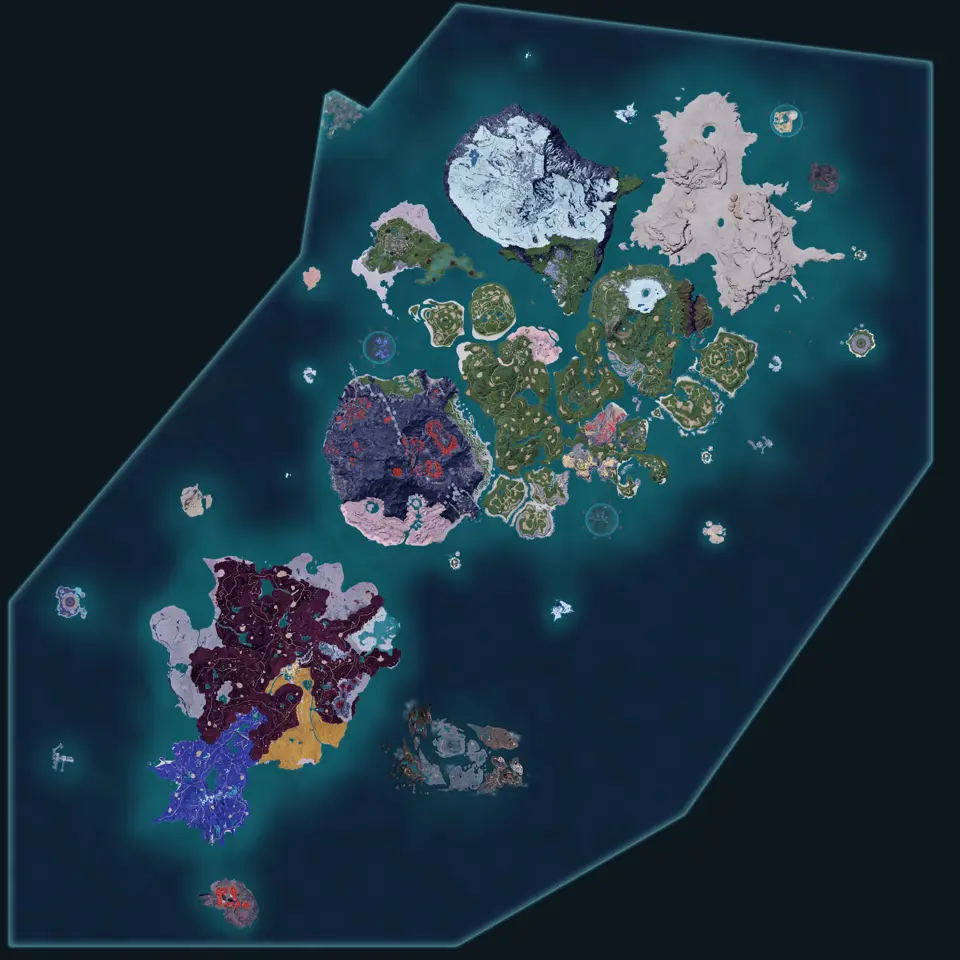
Palworld has 137 Great Eagle Statues on Palpagos and 15 on the World Tree. The maps also record 20 Palpagos watchtowers, 2 World Tree watchtowers, 51 Palpagos warp points and 8 Palpagos respawn points.
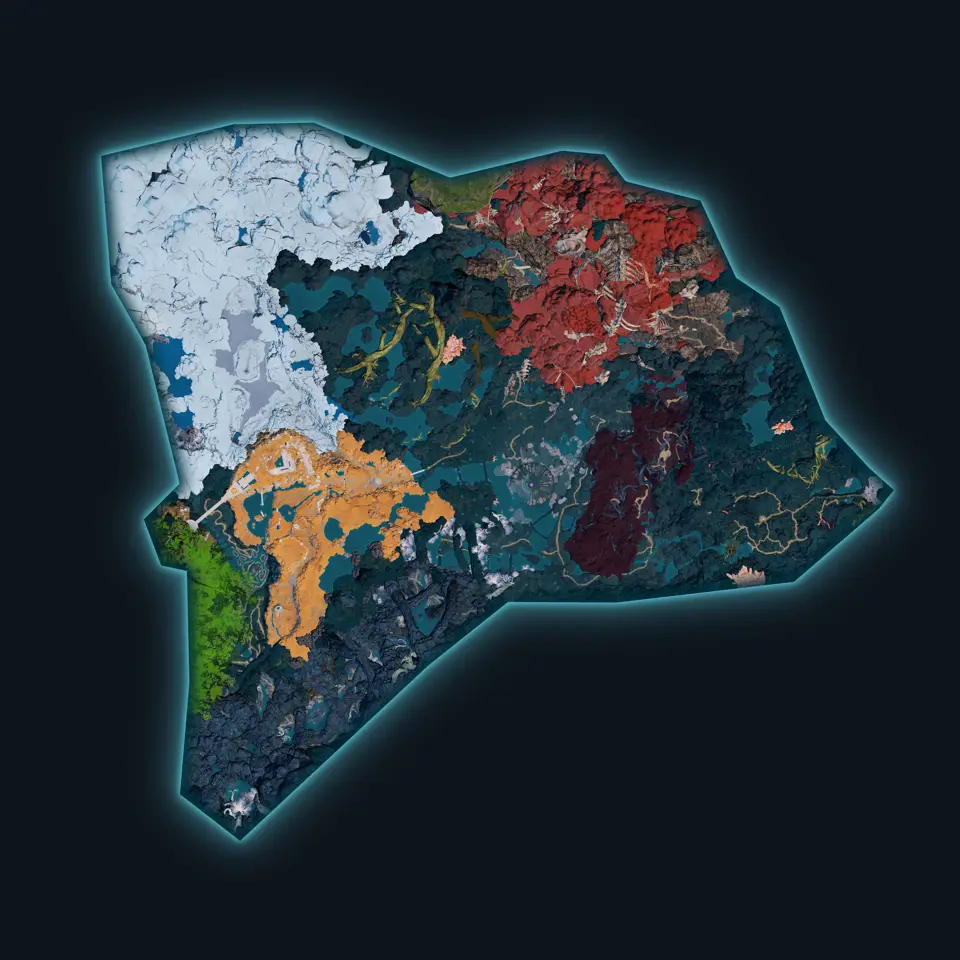
The World Tree uses its own travel sheet. A Statue unlocked on Palpagos does not appear on that map, and the World Tree has no Warp point or Respawn point layer.
Travel marker counts
| Layer | Palpagos | World Tree |
|---|---|---|
| Great Eagle Statue | 137 | 15 |
| Watchtower | 20 | 2 |
| Warp point | 51 | 0 |
| Respawn point | 8 | 0 |
| Tower | 9 | 4 |
Tower is kept out of the default travel view because it describes major encounters as well as navigation. Add it when you are planning progression. Leave it off for a clean farming route.
Unlock a region before farming it
Resource routes become much shorter after their nearest travel nodes are known. Open the material layer with Great Eagle Statue, then compare clusters.
- Mining plus travel on Palpagos for Coal, Sulfur, Pure Quartz or Chromite.
- World Tree mining plus travel for its 80 Paloxite nodes.
- Chests plus travel for area cleanup.
- Pal habitat plus travel after searching one Pal name.
The closest point on the flat map is not always the quickest route. Islands, cliffs and vertical approaches can make a slightly farther Statue the practical choice. Check the terrain and watchtower placement before committing to the straight-line option.
Great Eagle Statues versus warp points
Great Eagle Statues form the broad travel network and exist on both sheets. Warp points are a separate 51-marker Palpagos layer. Keeping the categories separate lets you plan around the type you have actually unlocked.
Show all Palpagos travel markers for exploration. Once you choose a start and finish, turn off the unused types. Four layers are useful for orientation and too busy for a short route.
Marking travel progress
Use a marker’s Mark control for nodes you have visited. Hide marked then leaves the unvisited network on screen. This works especially well on a first Palpagos sweep, where 137 Statues are spread across a much larger sheet.
World Tree marks are stored separately because it is a different map. You can clear or hide progress on one without changing the other.
Fix an empty travel search
Check the active sheet first. Warp point and Respawn point only exist on Palpagos. Search the official location name, clear any old material filter, and verify that the needed category is on.
A search for a general phrase such as “fast travel” may be less useful than the layer itself. Open Great Eagle Statue, zoom to the destination region, and use the nearby named points to choose the route.
A practical map bookmark
For Palpagos, save the four-layer travel link and switch layers off as the route narrows. For the World Tree, the 15 Statues and 2 watchtowers already fit on one view. Those two bookmarks cover the travel network without mixing in thousands of resource or habitat markers.
Maps in this guide
More Palworld guides
All 155 Lifmunk Effigy Locations - Palworld 1.0 Map
Palworld has 155 Lifmunk Effigies, 140 on the Palpagos Islands and 15 on the World Tree, inside an effigy layer that holds 407 statues of twelve different Pals.Read the guidePalworld Ore and Resource Locations - All 7,335 Nodes
Palworld has 7,335 mining nodes: 7,255 on the Palpagos Islands across ten ore types and 80 Paloxite on the World Tree, plus 184 crude oil wells and 2,070 gathering points.Read the guidePalworld Pal Locations and Habitats: 12,502 Markers
The Palpagos Islands hold 12,134 Pal habitat markers covering 233 Pal names, and the World Tree adds 368 markers covering 37, including 23 with no Palpagos Habitat record.Read the guideAll 97 Palworld Field Boss and Alpha Pal Locations
Palworld has 97 Field Boss points: 90 on the Palpagos Islands covering 63 different Pals, and 7 on the World Tree, with Predator Pals and towers counted separately.Read the guidePalworld World Tree Map: What All 1,385 Markers Are
The World Tree map holds 1,385 markers in 13 layers, and 728 of them are chests, while every mining node on it is Paloxite and every gathering point is Junk.Read the guide